The digital world is buzzing with the retro aesthetic, and Google Gemini’s Nano Banana feature is stealing the show! From Instagram reels to Pinterest boards, users are transforming ordinary photos into nostalgic, vintage-style masterpieces that scream old Bollywood glamour, classic Hollywood charm, or 70s Polaroid vibes. If you’re ready to jump on this viral photo editing trend, this blog will guide you through the best AI retro-style vintage photo editing prompts using Google Gemini. Let’s dive in and make your photos pop with timeless appeal!
Why Retro Style Photo Editing Is Trending
Retro and vintage aesthetics are making a massive comeback, blending nostalgia with modern AI technology. Google Gemini’s Nano Banana feature allows anyone to turn a simple selfie into a cinematic, retro-inspired portrait with just a text prompt. Whether it’s the grainy texture of a 90s film or the warm glow of an 80s Bollywood poster, these edits are dominating social media. The best part? You don’t need to be a pro editor—just a creative prompt and Gemini’s AI magic
Top 5 Trending Retro Style Vintage Photo Editing Prompts
These prompts are designed to work with Google Gemini’s Nano Banana feature and are inspired by the latest social media trends. Copy them, tweak them, and make them your own Photo Editing Prompts
1. Google Gemini Viral Photo Editing
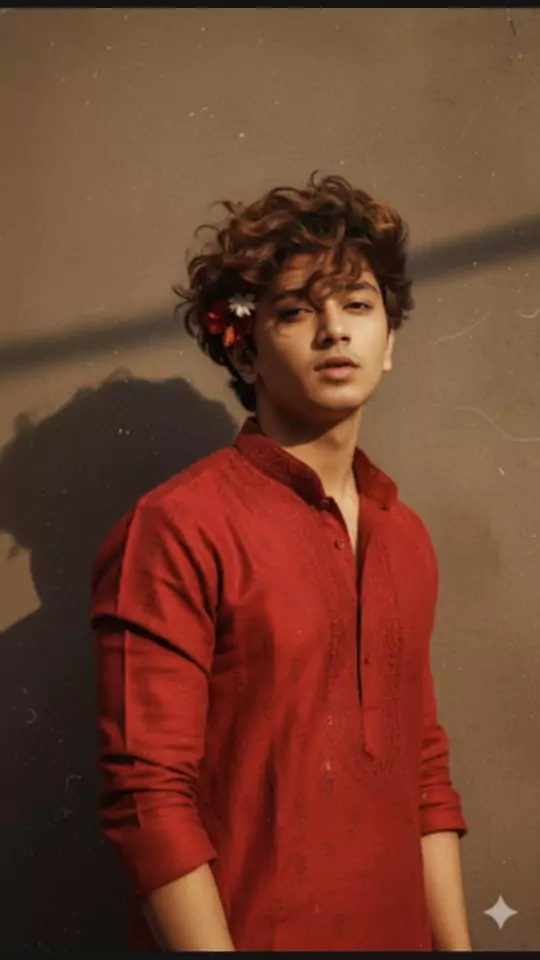
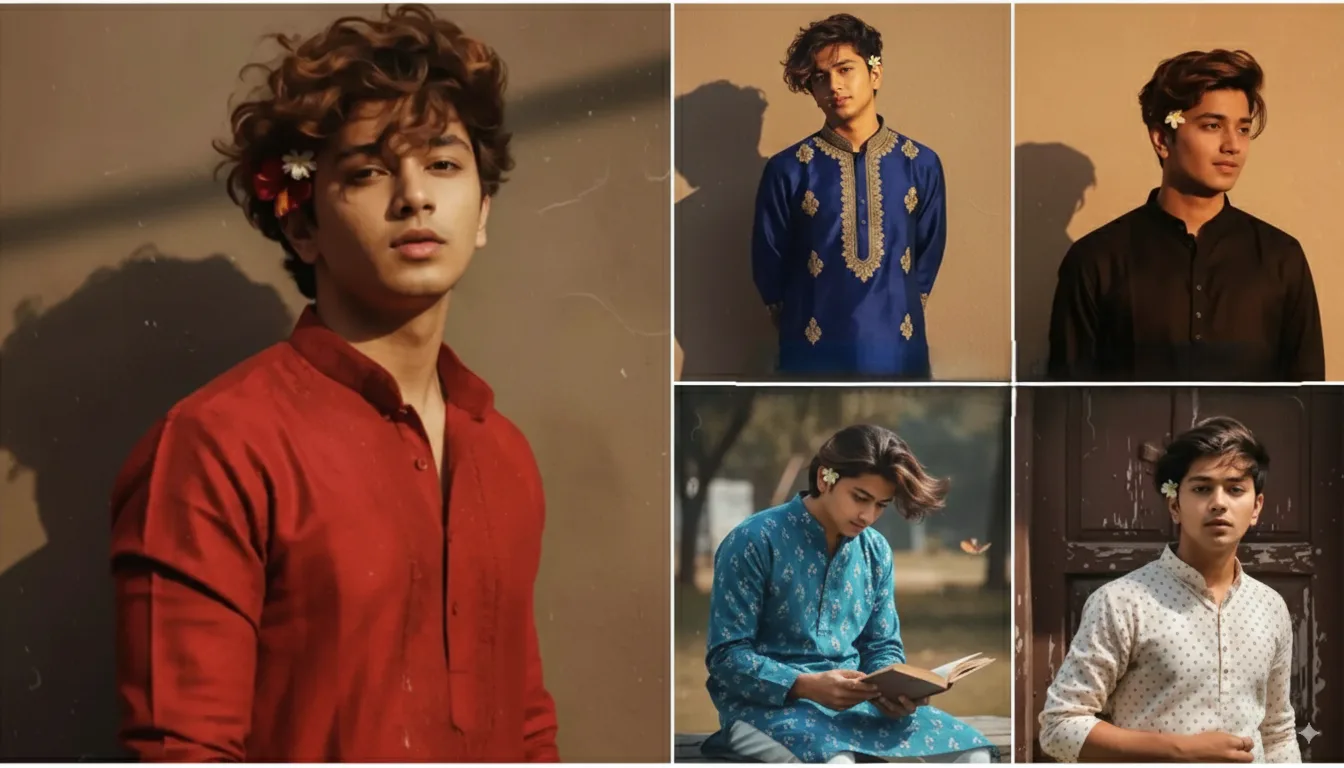
Create a retro, vintage-inspired image – grainy yet bright – based on the reference picture. The boy should be dressed in a perfect red, Pinterest-style aesthetic retro kurta. The vibe must capture the essence of a 90s movie brown-haired baddie, with wavy curls and a small flower tucked visibly into his hair, enhanced by a windy, romantic atmosphere. He stands against a solid wall, where deep shadows and dramatic contrasts add mystery and artistry to the scene, creating a moody yet enchanting cinematic effect.
2. Google Gemini Viral Photo Editing
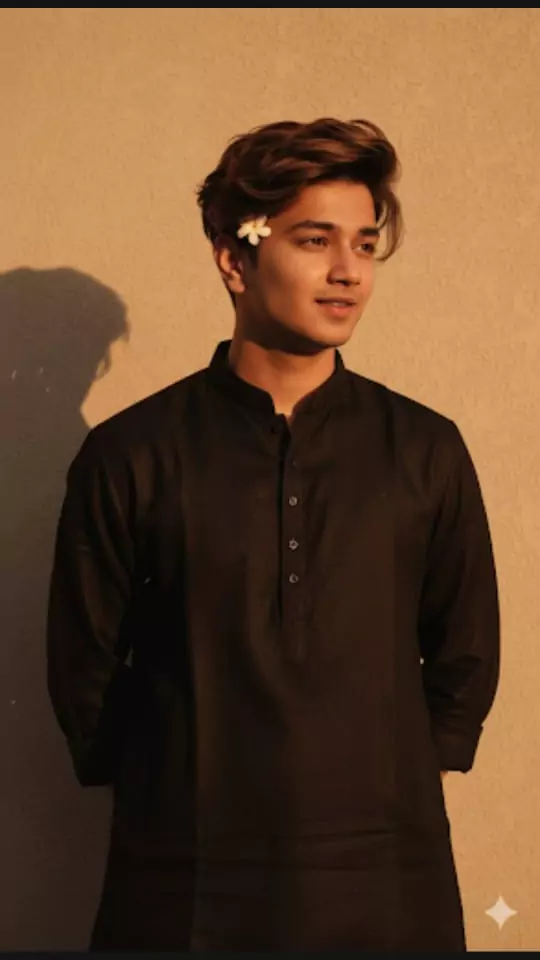
Create a retro vintage grainy but bright image of the reference picture but dressed in a perfect black color Pinterest's aesthetic retro kurta. It must feel like a 90s movie brown-haired baddie with a small flower tucked visibly into his curls and romanticizing windy environment. The boy is standing against a solid wall, deep shadows and contrast drama, creating a mysterious and artistic atmosphere where the lighting is warm with golden tones evoking a sunset or golden hour glow. The background is minimalist and slightly textured, the expression on his face is moody, calm yet happy and introspective.
3. Google Gemini Viral Photo Editing
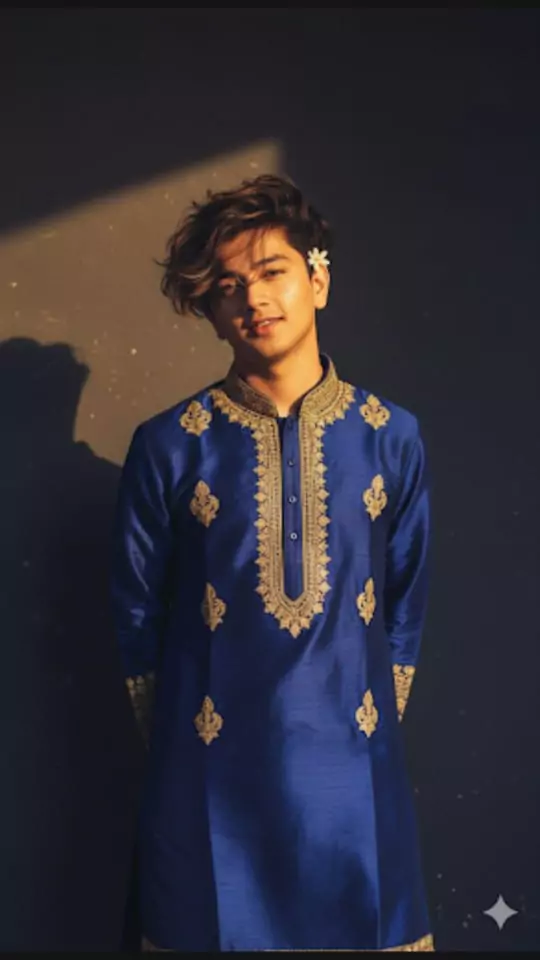
Create a retro vintage grainy but bright image of the reference picture but dressed in a perfect elegant royal blue silk kurta with golden motifs and a golden border, in Pinteresty aesthetic retro kurta. It must feel like a 90s movie brown-haired baddie with a small flower tucked visibly into his curls and romanticising windy environment. The boy is standing against a solid wall, deep shadows and contrast drama, creating a mysterious and artistic atmosphere where the lighting is warm with golden tones evoking a sunset or golden hour glow. The background is minimalist and slightly textured, the expression on his face is moody, calm yet happy and introspective.
4. Google Gemini Viral Photo Editing
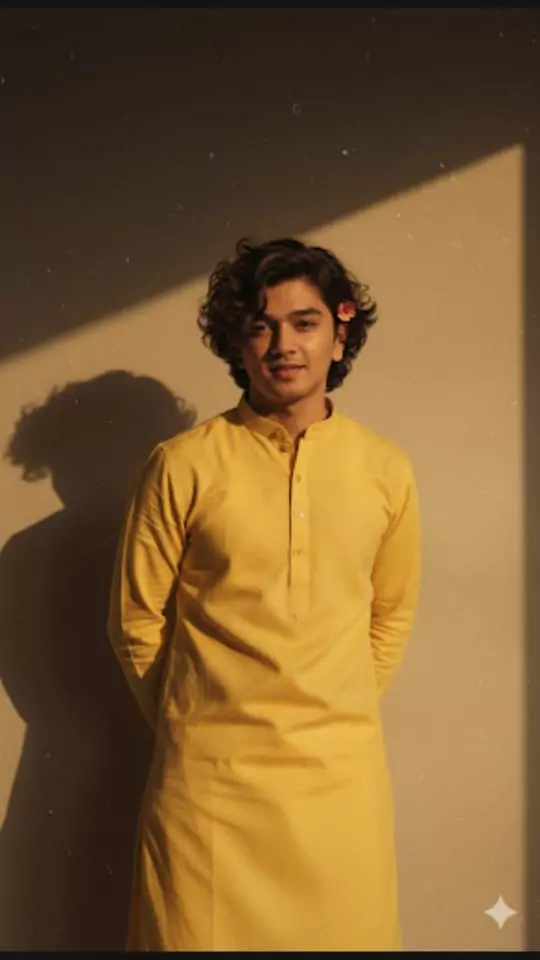
Create a retro vintage grainy but bright image of the reference picture but draped in a perfect plain kurta yellow color Pinteresty aesthetic retro kurta. It must feel like a 90s movie dark brown wavy curly hair with a small flower tucked visibly into his curls and romanticising windy environment. The boy is standing against a solid wall deep shadows and contrast drama, creating a mysterious and artistic atmosphere where the lighting is warm with a golden tones of evoking a sunset or golden hour glow. The background is minimalist and slightly textured the expression on his face is moody, calm yet happy and introspective.
5. Google Gemini Viral Photo Editing
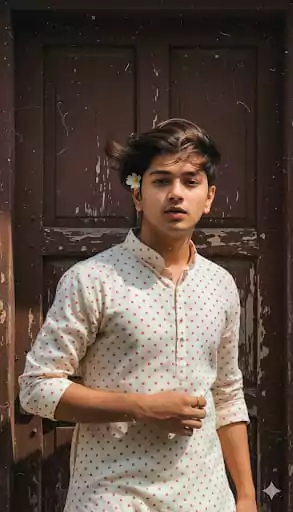
Create a retro, vintage-inspired image – grainy yet bright – based on the reference picture. The boy should be dressed in a perfect off-white cotton kurta with red polka dots on it, Pinterest-style aesthetic kurta. The vibe must capture the essence of a 90s movie dark-brown-haired baddie, with silky hair and a small flower tucked visibly into his hair, enhanced by a windy, romantic atmosphere. He stands against an old wooden door, where deep shadows and dramatic contrasts add mystery and artistry to the scene, creating a moody yet enchanting cinematic effect. Make a pose like he is adjusting his kurta.
6. Google Gemini Viral Photo Editing
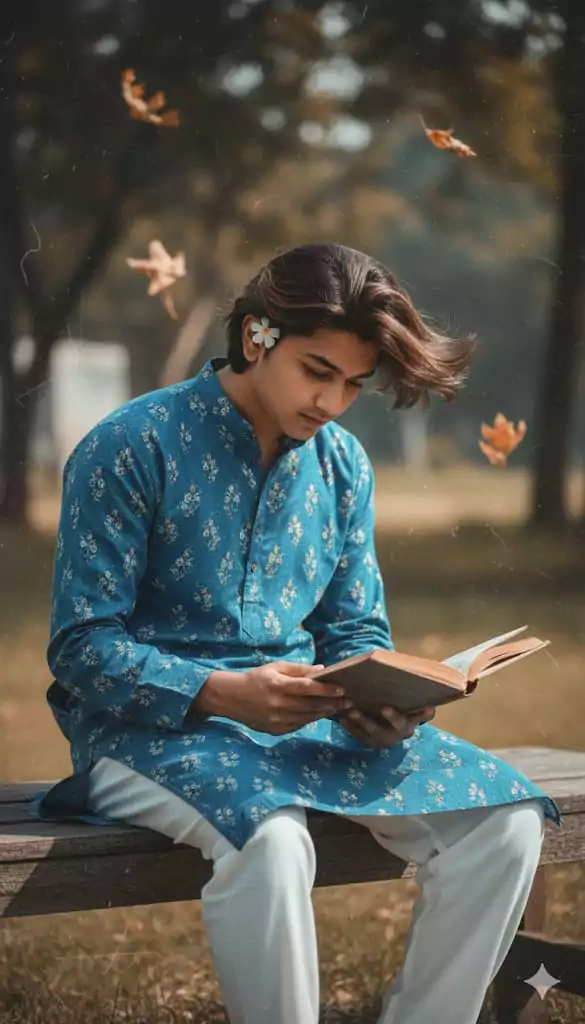
Create a retro, vintage-inspired image – grainy yet bright – based on the reference picture. The boy should be dressed in a perfect blue cotton kurta with small white flower prints, paired with white pajama, styled in a Pinterest-inspired aesthetic. The vibe must capture the essence of a 90s movie dark-brown-haired baddie, with silky hair and a small flower tucked visibly into his hair, enhanced by a windy, romantic atmosphere. He is sitting on a wooden bench as a few leaves blow in the air, while dramatic contrasts add mystery and artistry to the scene, creating a moody yet enchanting cinematic effect. His pose should suggest that he is reading a book.
How to Use Google Gemini for Retro Photo Editing
Before we get to the prompts, here’s a quick guide to using Google Gemini’s Nano Banana feature:
- Access Gemini: Head to the Google Gemini app or Google AI Studio website.
- Upload a Photo: Click the “+” icon to upload a high-resolution image.
- Enter a Prompt: Type a specific prompt describing the retro style you want.
- Generate: Hit “Run” or “Enter,” and watch Gemini transform your photo into a vintage masterpiece.
Now, let’s explore some trending prompts to create viral retro-style photos that’ll have your followers double-tapping!
Tips for Crafting Your Own Viral Prompts
Want to create your own unique retro-style prompts? Here are some tips to make your photos go viral:
- Be Specific: Include details like clothing, lighting, background, and mood. For example, “grainy film texture” or “warm golden-hour sunlight” adds authenticity.
- Keep the Face Unchanged: Always mention “keep the face unchanged” to ensure the AI preserves your identity.
- Experiment with Eras: Try 70s, 80s, or 90s aesthetics, or mix them with cultural elements like Bollywood or vintage Hollywood.
- Add Texture: Words like “grainy,” “faded,” or “soft focus” enhance the retro vibe.
- Test and Tweak: If the result isn’t perfect, adjust the prompt with more specific details. Photo Editing Prompts
Why These Edits Are Going Viral
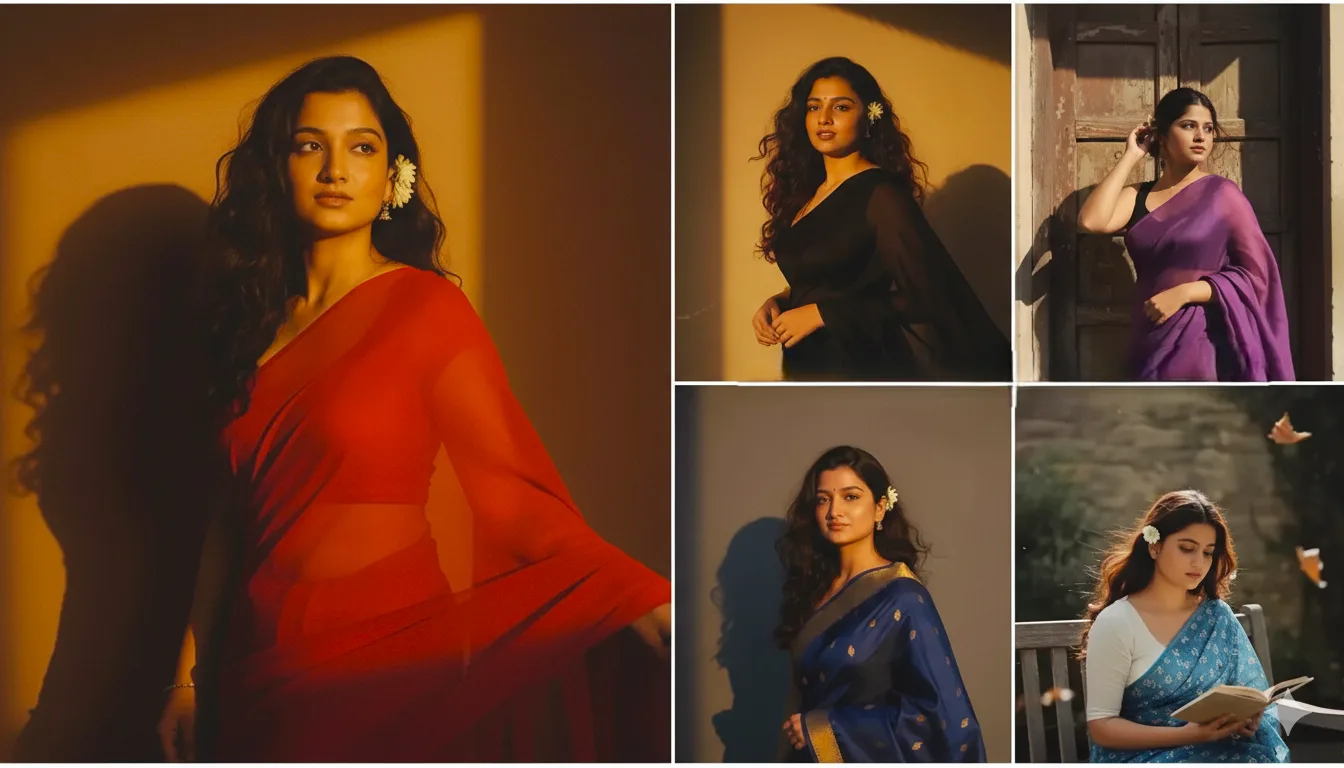
The retro photo editing trend is more than just a filter—it’s a creative movement. These AI-generated images resonate because they blend nostalgia with modern tech, making them perfect for Instagram reels, stories, and posts. The realistic details, from fluttering sarees to grainy textures, make every edit feel like a piece of art. Plus, Google Gemini’s free-to-use Nano Banana feature makes it accessible to everyone, fueling its viral spread. Photo Editing Prompts
Ready to Go Viral?
With Google Gemini’s Nano Banana and these trending prompts, you’re all set to create stunning retro-style photos that capture the internet’s attention. Whether you’re channeling Bollywood divas, 80s Polaroid vibes, or classic black-and-white glamour, these prompts will help you craft viral-worthy content. Try them out, share your creations on Instagram, and let us know which prompt worked best for you in the comments below!