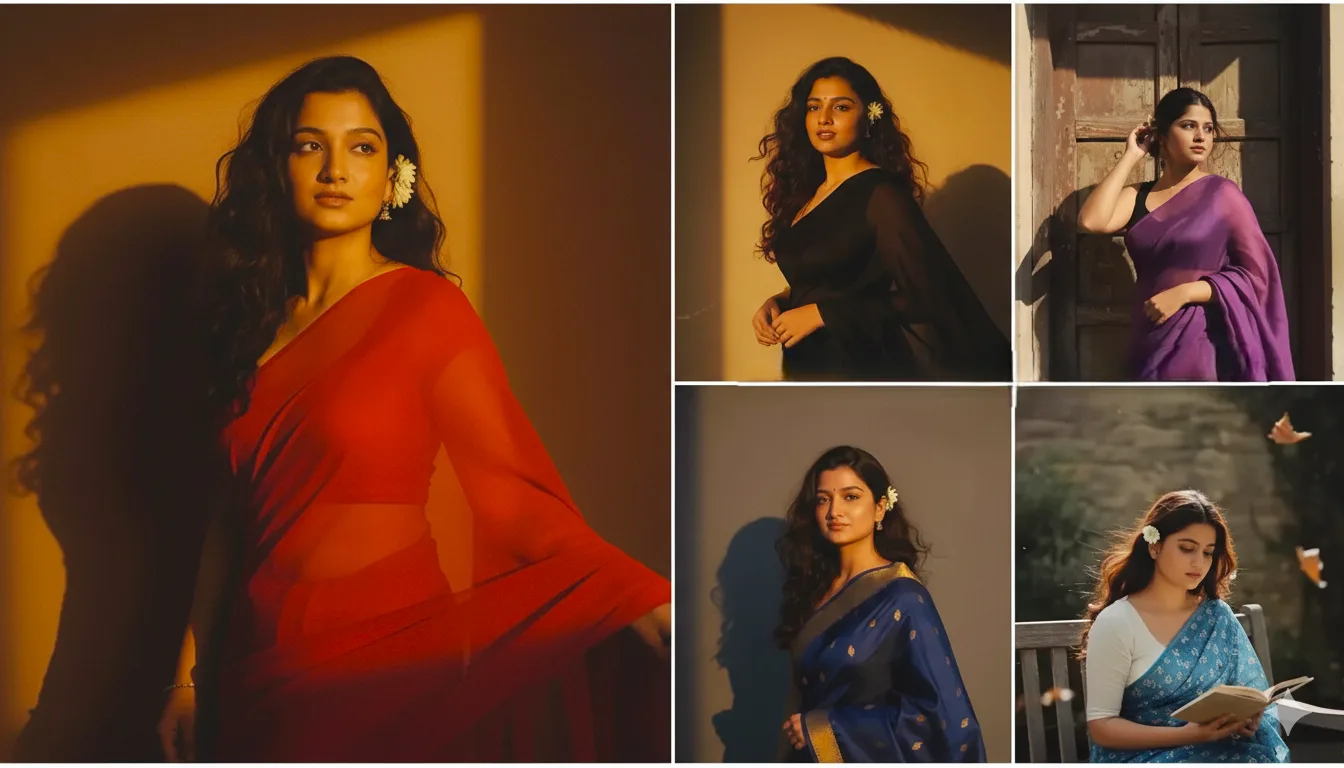
The retro-style AI photo editing trend is taking social media by storm, especially on Instagram and X (Twitter). People are transforming their selfies into 90s Bollywood vibes, vintage portraits, or classic film noir aesthetics. The magic behind this? Google Gemini AI and its “Nano Banana” model. This tool lets you turn ordinary photos into retro masterpieces with grainy textures, sepia tones, and old-school Bollywood charm – all for free!
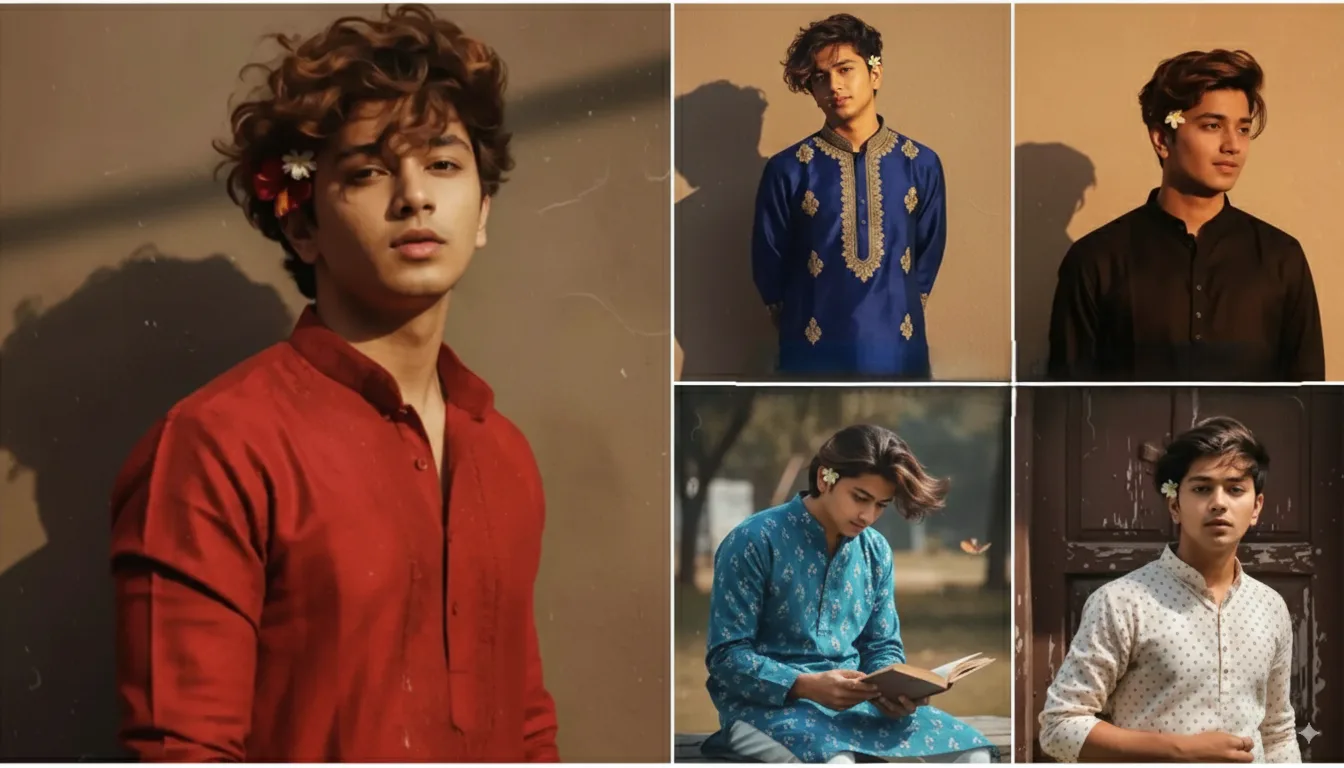
If you’re ready to give your photos a nostalgic makeover, this blog is for you. I’ll share a step-by-step guide and some awesome retro-style AI photo editing prompts you can copy-paste. These work best with Gemini’s 2.5 Flash Image model. Let’s dive in!
Top 10 Retro Style AI Photo Editing Prompts

Prompt:Create a portrait of a young woman with a
serene expression, where the girl looks like Radha with brown long wavy hair flying & mural art forhead the face but minimal. She's wearing a white aesthetic chiffon lehenga with golden shimmer along with minimal floral jewellery and add peacock featheres on her hand.the background solid white wall. Also, background is minimal, lit with a gradient of warm blue and warm red Hd neon light reflecting on the picture, creating a dreamy and cinematic.
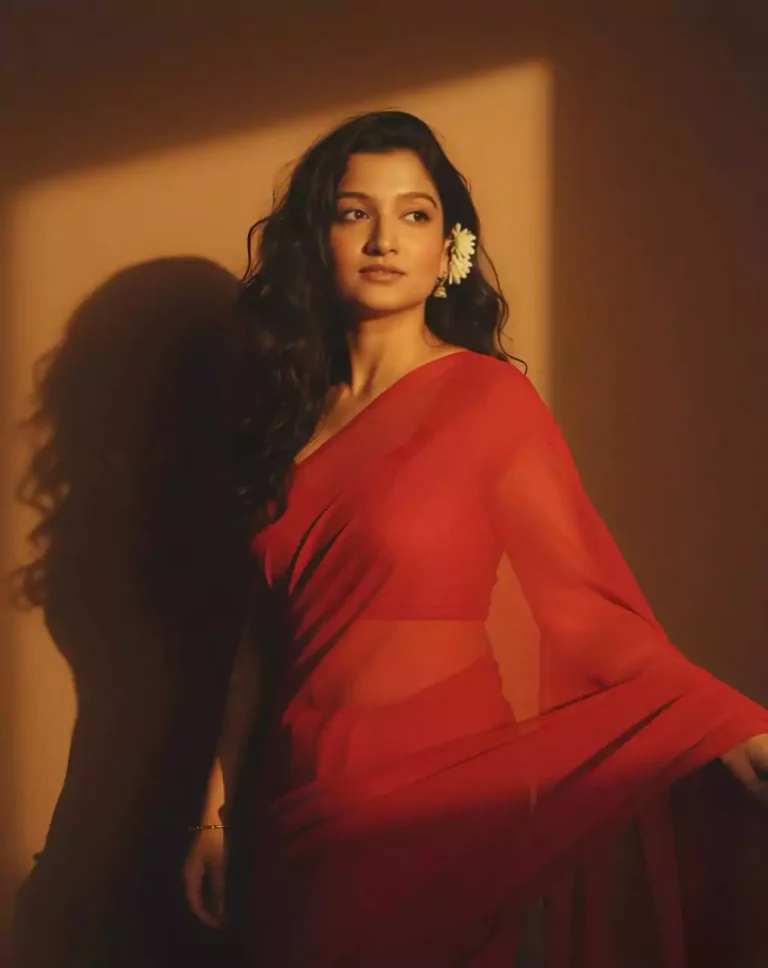
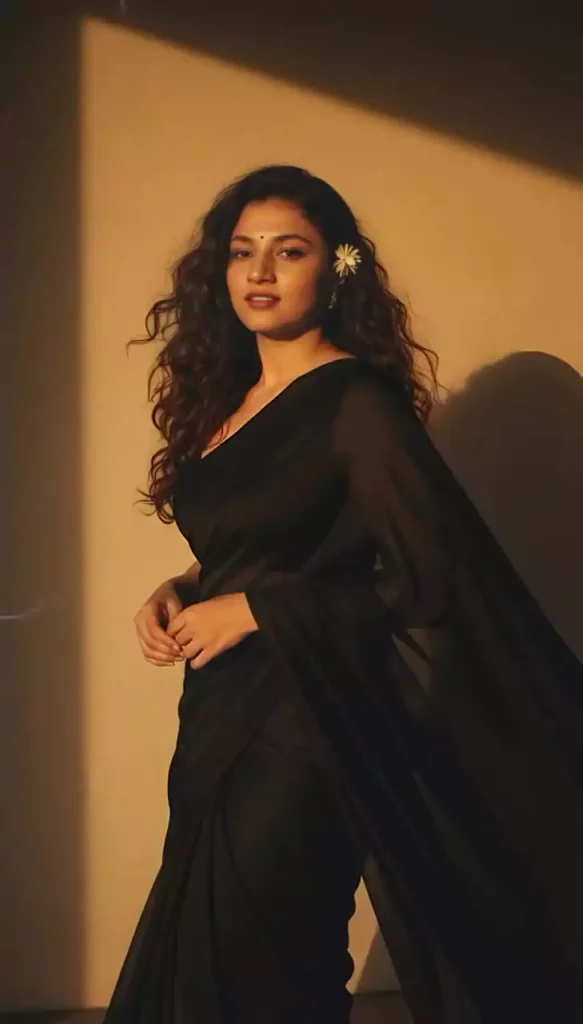
Create a retro vintage grainy but bright image of the reference picture but draped in a perfect plain chiffon saree yellow color Pinteresty aesthetic retro saree. It must feel like a 90s movie dark brown wavy curly hair with a small flower tucked visibly into her curls and romanticising windy environment. The girl is standing against a solid wall deep shadows and contrast drama, creating a mysterious and artistic atmosphere where the lighting is warm with a golden tones of evoking a sunset or golden hour glow. The background is minimalist and slightly textured the expression on her face is moody, calm yet happy and introspective.
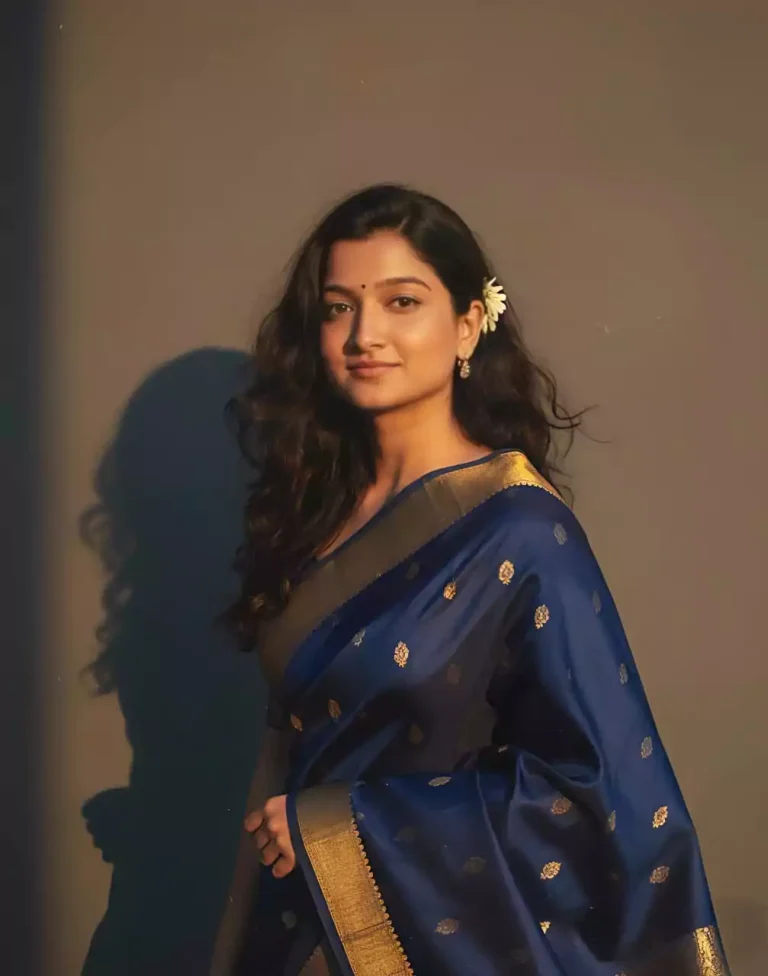
Create a retro, vintage-inspired image - grainy yet bright - based on the reference picture. The girl should be draped in a perfect red, Pinterest-style aesthetic retro saree. The vibe must capture the essence of a 90s movie brown -haired baddie, with wavy curls and a small flower tucked visibly into her hair, enhanced by a windy, romantic atmosphere. She stands against a solid wall, where deep shadows and dramatic contrasts add mystery and artistry to the scene, creating a moody yet enchanting cinematic effect.
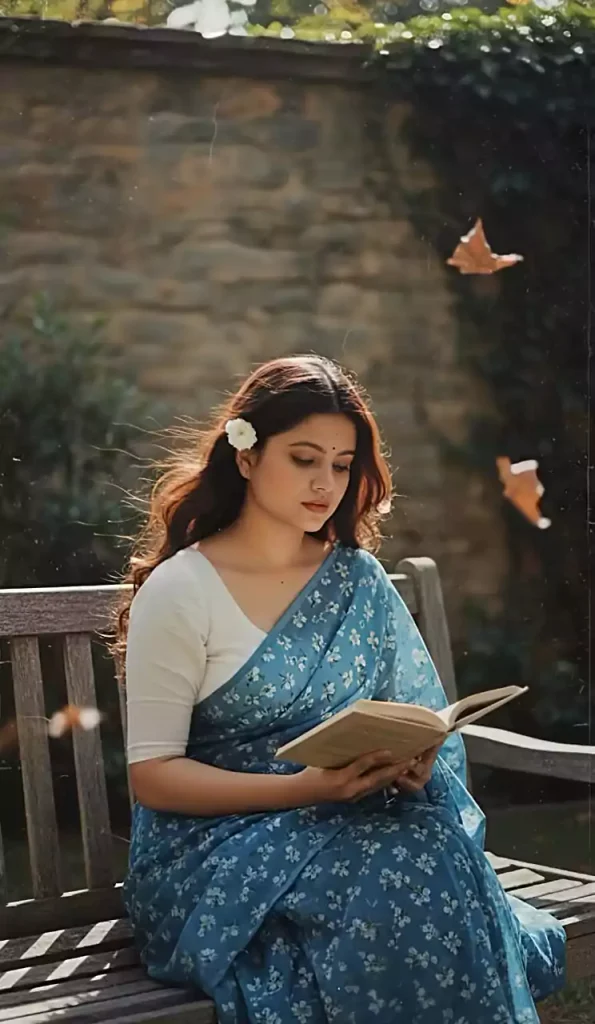
Create a retro, vintage-inspired image - grainy yet bright - based on the reference picture. The girl should be draped in a perfect blue cotton saree with small white flower prints, paired with a white blouse with sleeves above the elbow, styled in a Pinterest-inspired aesthetic. The vibe must capture the essence of a 90s movie dark-brown-haired baddie, with silky hair and a small flower tucked visibly into her hair, enhanced by a windy, romantic atmosphere. She is sitting on a wooden bench as a few leaves blow in the air, while dramatic contrasts add mystery and artistry to the scene, creating a moody yet enchanting cinematic effect. Her pose should suggest that she is reading a book.
Create a retro, vintage-inspired image - grainy yet bright - based on the reference picture. The girl should be draped in a perfect off white cotton saree with red polka dots on it, Pinterest-style aesthetic saree. The vibe must capture the essence of a 90s movie dark brown -haired baddie, with silky hair and a small flower tucked visibly into her hair, enhanced by a windy, romantic atmosphere. She stands against a old wooden door, where deep shadows and dramatic contrasts add mystery and artistry to the scene, creating a moody yet enchanting cinematic effect. Make a pose like she is adjusting her saree
How to Edit Photos in Retro Style with Google Gemini (Step-by-Step Guide)
Explore Retro Style Ai Photo Editing Prompts – Google Gemini Prompts
- Open Gemini App or Website: Download the Google Gemini app (from Play Store or App Store) or visit gemini.google.com. Log in with your Google account.
- Upload Your Photo: Start a new chat and upload your photo. For best results, use a clear selfie with a visible face. (Solo or couple photos work great too.)
- Enter a Prompt: Copy one of the prompts below and paste it into the chat. Include a description like “the person in the uploaded photo” to personalize it.
- Generate the Image: Hit “Generate” or Enter. Gemini will create the image in seconds. If you don’t like the result, tweak the prompt (e.g., adjust lighting or colors) and try again.
- Download and Share: Love the result? Download it and share it on Instagram with #NanoBanana or #RetroAI to join the trend!
- Add details to your prompt, like “grainy film texture,” “sepia tones,” “90s Bollywood vibe,” or “vintage lighting.”
- The free version has usage limits, but Gemini Advanced (paid) offers more options.
- Choose the Nano Banana model – it’s perfect for 3D and retro styles.




Need a quick, reliable read on Grow A Garden trades? 🌱 The Grow A Garden Calculator checks live values for fruits, seeds, tools, and pets so you don’t overpay—or get lowballed. We convert everything to Sheckles and common equivalents like Carrots 🥕, then weight the things that actually move the market: rarity, mutation lines (Moonlit, Zombified, etc.) 🌙🧟, current shop stock 🛒, and event cycles (yes, Easter fruits 🐣). Type what you’re offering vs. receiving and get side-by-side totals, a fair-value gap, and suggested add-ons to balance a deal ⚖️. New to trading? Use the list to spot underpriced seeds or tools before prices spike. Veteran flipper? Track swings on meta items and time exits when supply dries up. Because Grow A Garden uses a trust-based gifting system 🤝, knowing real prices prevents “too good to be true” scams. From Shocked Mangoes and Dragon Fruit 🐉 to Chocolate Sprinklers 🍫 and multi-billion-value rares, our list updates daily for accuracy. Save time, trade smarter, and keep your inventory growing—check the calculator first, then press gift ✅.